Showing posts with label after effects. Show all posts

Monday, 4 May 2015

Evaluation - Question 4

How did you use media technologies in the construction and research, planning and evaluation stages?


After Effects
 The different Media technologies that I used were Adobe Photoshop, Adobe Premiere and Adobe After Effects. I had never really used After Effects to the extent that I had before making this film, so I had to learn a lot. I gained most of my knowledge by messing around on the program, but also through Youtube tutorials and teachers at my school. I found it quite difficult and time consuming at first, but after I was familiar with the program, my confidence grew and it took me a shorter amount of time to make the effects that I wanted within my film. I created my own special effects within After Effects and also created spells effects using pre-made stock footage. The spell effects that you can see in the GIF below was one that I created in After Effects without using stock footage.
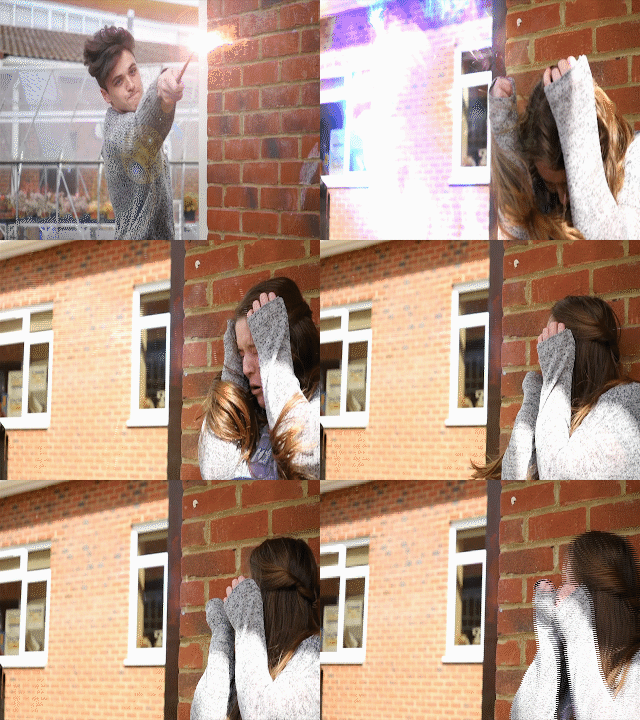
 The process of making a spell effect took me a while to do, but after I had done it a few times I was able to experiment with it and change colours as to how I wanted it; I then applied it to my composition and I had a spell. An example of this is shown in the GIF. For a typical spell, I would use a lens flare, a spell I had created or a stock footage spell and then I would layer different compnents such as duct hits and smoke to make it look more magical and to give the effect more depth. I then had to make out certain things, such as the wall and my arm so it looked like the spell was behind me rather than inforn of me. This also gave the spell effect more believability. I am quite happy with how the effetcs turned out in After Effects considering I have never done anything in After Effects before. I also believe that it has made a great impact on my film and has helped the film and genre come to life.


 Photoshop

I was quite familiar with Adobe Photoshop before making my film, and I felt quite confident with using it. I made all of my posters (my main theatrical poster and two teaser posters) for my film on Photoshop. I learned how to make my posters look much more cinematic, I did this by using a blur effect called 'motion blur' and this allowed me to make my posters look much more cinematic (although I only used this effect on my teaser poster and not my main poster). I experimented with different designs for the main poster, one of which included a book as the main focus on the poster. The book was central to the poster in a portrait layout. The book had rays of light coming out of the pages to make it look more mmagical, but after a while of designing and altering the poster, I
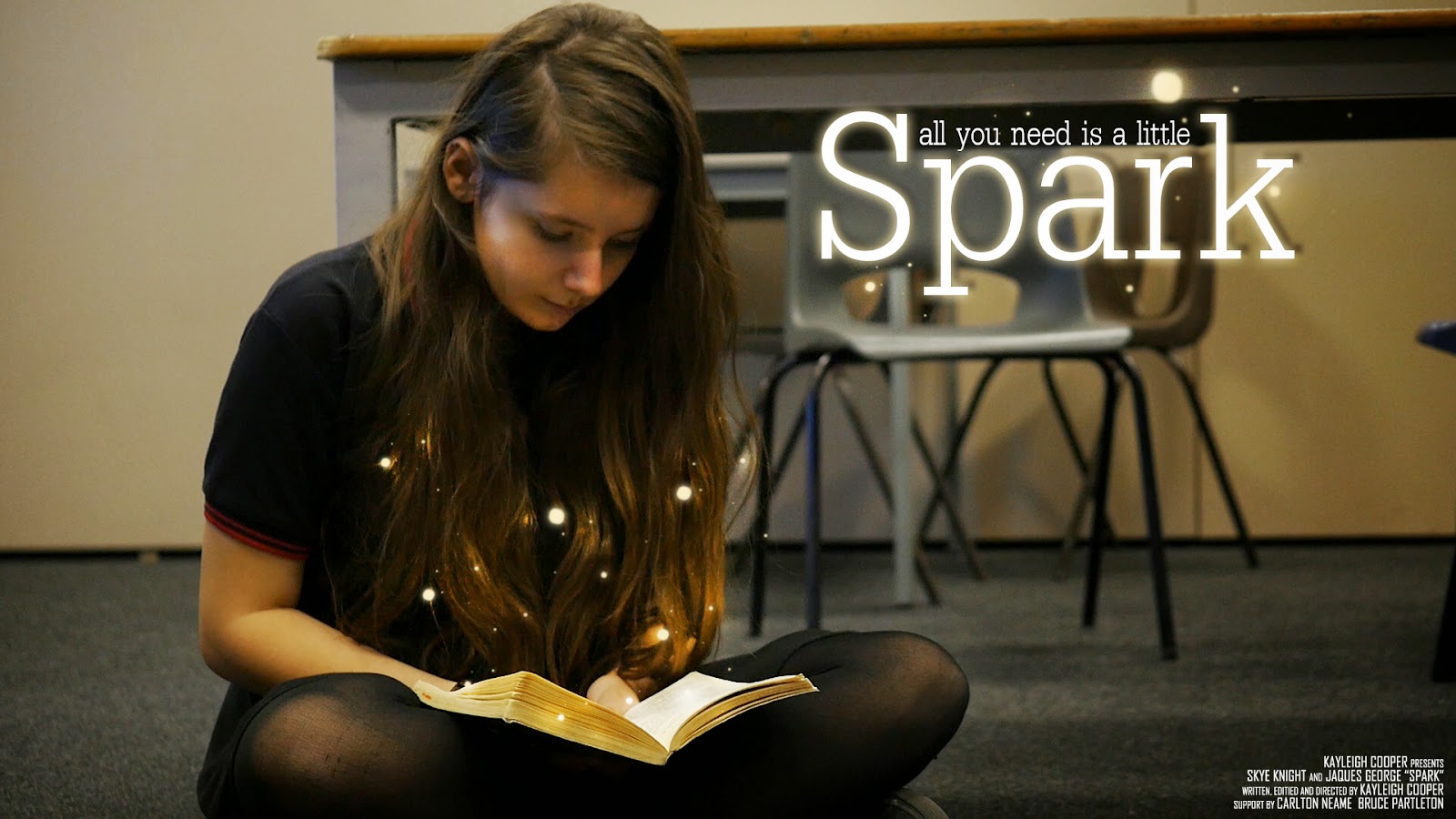
decided that it didn't look right and decided to take a screenshot from the film and use that for my poster instead. With the final poster, I experimented with how I could make this look magical and how it would link to my film without giving too much away. I finally decided that having the little balls of light coming from the book made the poster feel magical without giving too much of the plot of the film away. I looked at similar posters that were within the same fanatsy genre and they all had some
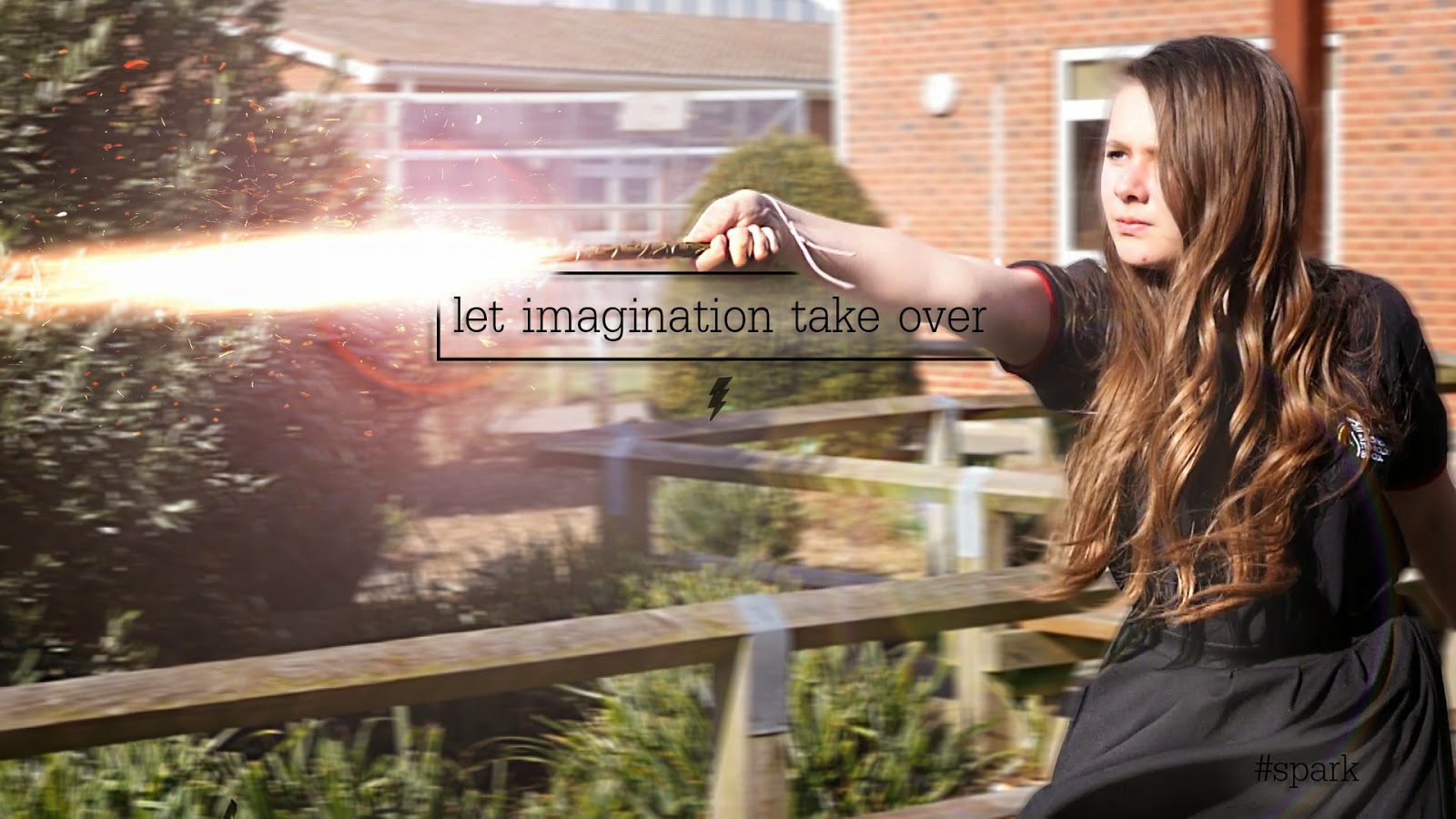
sort of magical and fantastical element to it. The credits for my film are located in the bottom right hand corner of the film poster. Most cinematic film posters have this central along with the title, but I felt that this wasn't a good place to have my title as it would have covered the book, which is what I wanted the audience to focus on.


Premiere Pro 
I was very familiar with using Adobe Premiere when I was making my film, so I knew the basics of the program. By making this film, it allowed my to exersize my skills and to be more familiar with the program. When making this film, it also allowed my to understand the different exporting options available to me and what the best exporting option was for my film. Premiere allowed me to figure out where I wanted my clips to be and really helped with how I wanted to structure my film. Having used Premiere before, I knew all the basics, but this time I played around with some of the 'in-house' effects that are within the Premiere program, such as Warp Stabiliser and many other presets, video tansitions, video effects, audio transitions and audio effects. The use of Warp Stabiliser allowed me to correct an unstable shot if it was a little bit wobbly. I didn't use many video transitions within my film as many of the transitions were cut hard/sharp cuts to black, which I thought were very effective for the narrative and plot.

Tuesday, 28 April 2015

Evaluation - Question 1

In what ways does your media product use, develop or challenge forms and conventions of real media products?


Narrative & Opening

The film starts off with a slow tracking shot of one of the main characters sitting down and reading Harry Potter. The tracking into the character suggests to the audience that she is pivotal to the plot/narrative of the film. The shot then changes to a  close up of the book that she is reading. To the eagle eyed audience, they will be able to tell that the book is Harry Potter and the Philosopher's Stone. I liked the idea of including the book at the beginning of the film, but not excplicitly telling the audience what the book is, so just a chapter header is seen 'The Journey To Platform Nine and Three-Quarters'. The shot after that is of the characters eyes reading.
The audience can then clearly see that her imagination is captured by the book. Her eyes are also moving as she is reading the page. I really liked the idea of having a close up of the eyes within the opening of the film as eyes are often seen as 'the window to the soul' and the audience can clearly tell that the girl is enjoying reading. The setting indicates to the audience that she is in a school, and her costume also tells the audience this as well.

Camera Work & Editing
In the scene where the girl confronts the boy for stealing her book, there are close-ups of the two characters faces, suggesting some sort of confrontation between the two, but also suggesting that they are equals and that they are both equally able of the same things. I thought that the two close-ups were vital for the film as it shows the audience that the characters are strong and are not afraid to stand up for themselves, which I think for a film that is shown to young children, is necessary.  In the scene that follows, frenetic editing is used to show the fast-paced action; this is when  they have the wand fight in the courtyard. This shows the audience the magic within the film, but it is not until later on in the film that they discover that it was all in their heads. In the last part of the wand fight scene, the two characters take their battle inside to which the boy casts a spell and the girl crouches down to protect herself. The low angle of her crouching down and with her arms up shielding her face portrays her to the audience as venerable and scared. A shot of the character when she is grown up (in the second part of the film) is also used that is similar. This shot is used when the older boy casts a similar spell at her and she again shields her face using her arms whilst crouching down. The slight low angle in this shot portrays her in danger and distress, but it is only seconds later that the audience discover that it is all a game. The camera work in part two of the film is still quite frenetic when the second wand fight occurs, but his all changes in the third part of the film when the camera-work is slow and paced, reflecting calmness.
This GIF shows the type of editing and the pace of the editing within my film. The editing had to be quite fast to keep up with the pace and timing of the spell special effect, so if the editing wasn't as fast paced, the spell special effects wound not have worked as well..

Sound

In the opening of the film, an eerie yet magical non-diegetic sound can be heard; this track is 'The Journey Begins' which I found on the Youtube Audio Library (which is royalty and copyright free). I thought that this was a good piece of music to start with as it sounds fantastical and the title of the piece reflects their journey just beginning. The last piece of music 'Your One Life' by Adens Sky is a really good piece of music to end on (in my opinion). It is uplifting and makes the audience feel emotional and really brings out the truth and reality with the visuals that they are seeing on screen. I found some royalty and copyright free spell sound effects of Youtube and used them for the spell sound effects within my film. I thought that they gave the spells much more of a fantasy element to it and alongside the special effects, really made the film come alive.
 
I recorded extra audio that has been used that the end of the film. The audio that was picked up on the camera was so clear that I just used the raw audio file from the recorded video and didn't have to adda ny effects on afterwards. There were a few clips of audio that picked up traces of wind when we were filming outside, but i managed to remove this in Adobe Audition, which is an audio editing software. After a few trial and erros on correcting the sound, I finally found a tutorial on Youtube that pointed me in the right direction to get rid of the wind within the audio clip.


Distributors

The distributors for this film is my own film company, Firebird Films. The logo has changed from the last time it was used and has been updated from the last due to the progress in my abilities to use Photoshop and After Effects. because this project is really personal to me, I felt that using another film distributors company would take away the message of the film, whereas if an audience see's a company that they have never seen before, they would think that it is a more independent film, therefore makes it a more personal film.

Direct Comparisons To Other Films Within The Fantasy Genre

Here are some shots that compare both my film to other fantasy films. The fist shot in Harry Potter reflects the shot in my film. In the scene in Harry Potter, he is confronting Voldemort and within the scene in my film, the girl is confronting the boy. Although the shot in my film is more of a close up, there still is a resemblance between the shots.
 The next two shots are a comparison of the Harry Potter teaser poster and the shot that I used for my teaser poster. They are quite similar, except from the shot angle. I really wanted to include a shot like this within my film as it made my character look stong and powerful.
The next two shots are stills from Harry Potter and the Goblet of Fire and my film Spark. These two are very much the same and I like how they are very similar.
The one thing that I have noticed within these comparisons is that te colour pallette within the Harry Potter stills have a blue/green pallette to them whilst my film has a much warmer feel. The reason for the cold feel in Harry Potter could possibly be because the screenshots were from later films int the franchise meaning that the narrative would be much darker as the audience has grown up with the film, whereas my film has a much warmer feel because it's the first one and appeals to a younger audience than the last HP films would have.


Title Design & Inspiration
 
All of the films that included some sort of magic or fantasy within the narrative/plot, have some sort of 'light' within their titles, so that is what I wanted to re-create. The Hobbit title served as most of the inspiration as I really liked the way the light came through the text. This is what I wanted to re-create. Whilst the Hobbit title unfolds, my titles get pulled back together after an implosion. I experimented with how I wanted my titles to appear on screen. I fist designed them to fade out of blackness with the light shining through them, them explode into tiny fragments of light. I then reversed this so the tiny pieces of light get pulled back together and the
text fades back into darkness. This is how the titles look now. I really liked how the title explodes as it gives it an even more fantasy-like feel and draws the audience in. I also really like the colour of it; as the gold also makes it feel fantastical, almost like The Hobbit titles.


Thursday, 26 March 2015

Creating Spells With Lens Flares & Stock Footage In After Effects

For one version of the spells used in my film I used lens flares and stock footage. Here is how I created them.

I first went to the Generate tab at the top of the screen and then went to the Lens Flare tab. I then selected what Lens Flare I wanted and then added it to my timeline. I have added many Lens Flares to my composition and after editing , masking, and key framing all of the ones that I want, I have ended up with something like this.


I has taken a while to do, but I am very proud of my final product. The lens flares serve as a 'spell' and I think look really effective.

An example of a Lens Flare


Here is what an example of a Lens Flare looks like on my project.


Thursday, 13 November 2014

Test Shots - Harry Potter

Here are some test shots that I have made using After Effects. I looked at a few tutorials on how to make them, but after a while found them to be of no use, so I decided to try and do some myself, and this is the result. It took me 4 hours to do, and now that I have gotten used to what I will be doing, it will take much less time. These are only draft shots, so the efects used in the film will hopefully be of better quality and standard, considering this is my first time of using After Effects.